Computer Security the Physical Way
Published on April 16, 2016
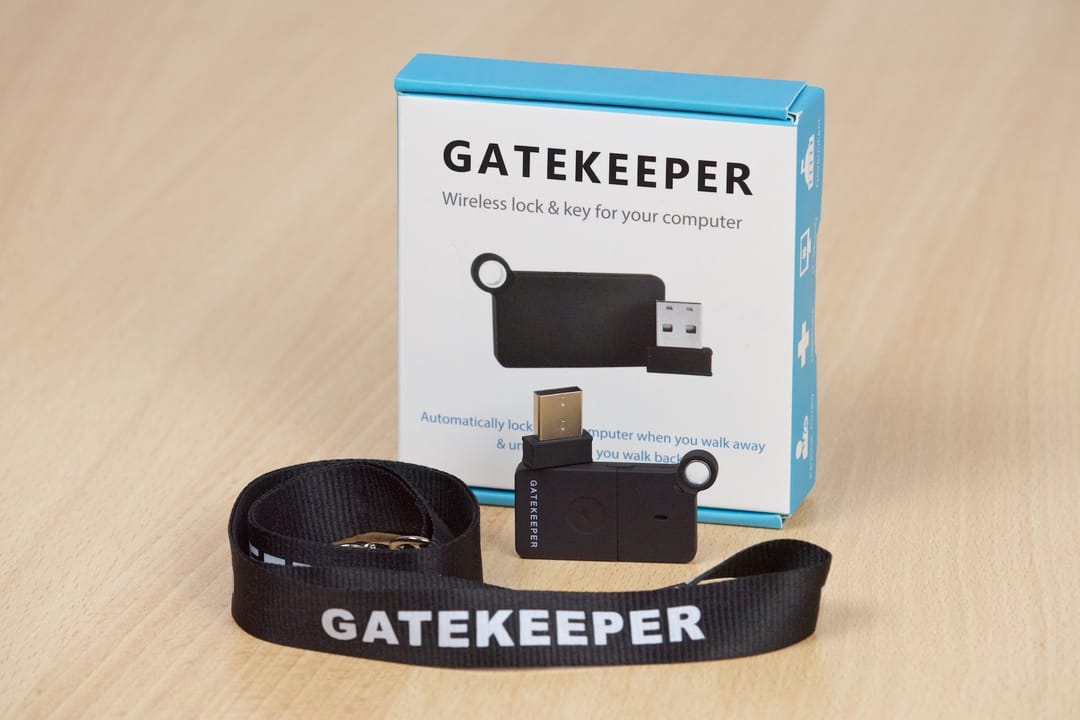
Afraid of other people snooping around on your computer while you're gone? Too lazy to manually lock and unlock your computer when you just want to get a coffee or have to use the restroom? Read on!
Often company procedures and internal IT security guidelines require you to lock your computer whenever you leave your desk. But most of the time you're just going to grab a cup of coffee and you'd be back within a few seconds. Your colleague spots you in the hallway, you get into a conversation and, without realizing it, 10 to 15 minutes have passed. Suddenly you remember that your computer is still unlocked and has been for the past 15 minutes. What if something happened? What if someone accessed data they weren't supposed to get access to? By now you probably really regret not having locked your computer. Relax, now there's a little helper for you!
The GateKeeper 2.0
The GateKeeper 2.0 from gkchain.com is an interesting little device. Basically, it lets you automatically lock and unlock your computer screen whenever you walk away from it. The mechanism consists of two parts: the USB module (similar to Bluetooth and wireless mouse adapters) and the GateKeeper keychain module (powered by a CR2032 battery). With the software installed and the USB plug connected, you can set the maximum distance within which the computer remains unlocked. Whenever the keychain module is taken outside of this radius, the computer is blocked by a full-screen logo of the GateKeeper. While the USB connector glitched on me a few times when I configured it the first time, it worked properly and reliably once it was set up. The user interface of the configuration application is well designed and easy to understand, nothing fancy in terms of design awards, just well functional.
I tested it on Mac OS X 10.11.4 "El Capitan", but it is also compatible with Windows, including Windows 10. For more information, visit gkchain.com.