FLIR Vue Pro: Thermal Imaging for sUAS
Published on March 13, 2016
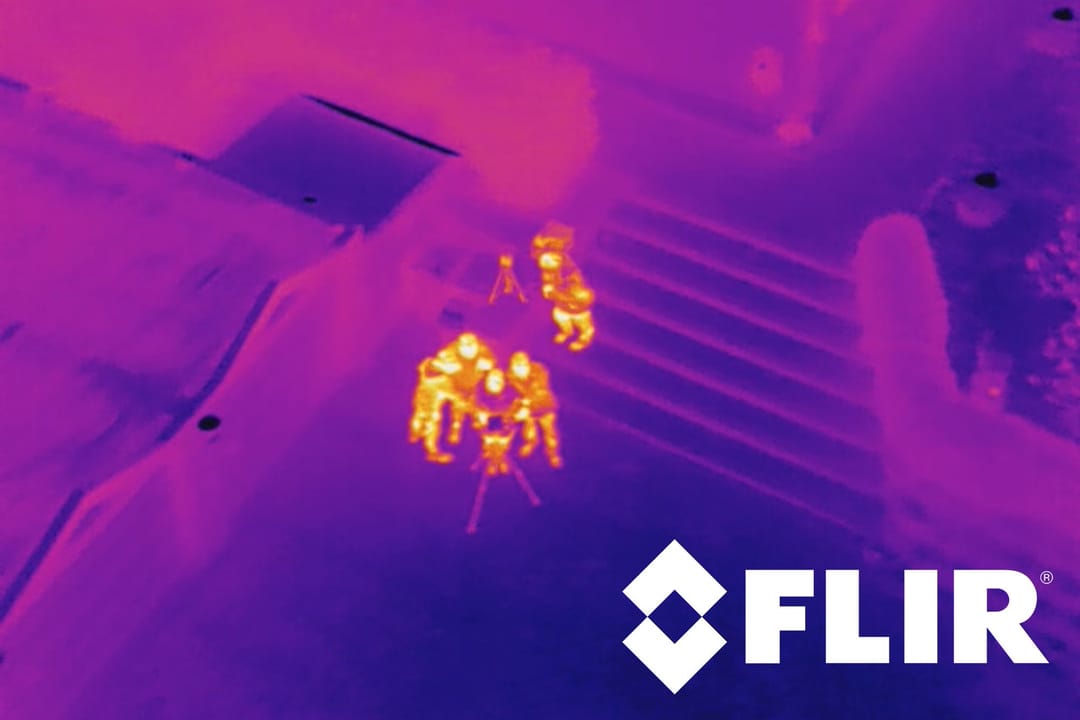
The FLIR Vue Pro thermal imaging camera is a step many commercial sensor and camera manufacturers have taken: a purposefully designed and developed product for aerial applications in small unmanned aerial systems (sUAS). In this unboxing and review I take a closer look at the physical camera as well as its set of features and image quality.
Where to Buy
I bought mine from a specialized OEM camera dealer in the US. Besides shipping internationally, dealers like that also offer a custom-made 35mm f/1.5 lens for the FLIR Vue Pro and a power regulator for the 5V input that the camera requires, which saved me a lot of hassle.
Technical Details
The Vue Pro features a 640×512 pixel uncooled VOx microbolometer sensor with six different lens and sensor combinations and a low weight of only 109 grams. There is also a 336×256 pixel sensor available. While the 640 edition offers a selection of 19mm, 13mm and 9mm lenses, the smaller sensor comes paired with either a 13mm, 9mm or 6.8mm lens. The shorter focal length of the 336 edition is used to accommodate for the smaller sensor size to grant roughly the same field of view. The lenses are not interchangeable, so you have to carefully pick the ideal lens for your job.
With some basic research you will find that the Vue Pro is powered by a Texas Instruments IP video camera system-on-a-chip, the TMS320DM368, and runs on Linux 2.6.18. This enables FLIR to provide firmware updates and easy MAVLink compatibility.
MAVLink
MAVLink is currently unsupported in the FLIR Vue Pro, which was a bummer to find out, as I believed that it would be shipped with it. But there is hope. FLIR will be rolling out the MAVLink capabilities in a two-step process. Initially, they are only going to implement a read-only mode for MAVLink, so that the camera reads system information, such as altitude, geographical coordinates and time, from your MAVLink-enabled flight controller. These can be Pixhawk, Pixhack or any APM-based flight controllers. The second phase addresses remote camera triggering via MAVLink. Currently, FLIR is working with a group of MAVLink developers to establish a common protocol standard for camera control communications. When this is set, they are going to roll out another firmware update to integrate this new protocol into the Vue Pro and enable the remote triggering of the camera via MAVLink. An application where this would be used is the aerial survey in agricultural or inspection missions to capture the images required.
Video Mode
There are basically two different types of camera modes to choose from. You can only switch between these with a camera reboot. The main mode you are going to be using is the video mode. It lets you record full-motion video via the integrated microSD card slot onto the supplied 32GB memory card. The video is recorded as a 640×512 pixel, 29.97fps, h.264 compressed video. The quality is decent, but you do seem to lose a bit of detail due to compression. The big bonus is a rather small file size in the end. We are talking about 3.98 – 4.00 MBit/s, which comes out to about 30.02 MB per minute (28.63 MiB per minute). Alternatively, you can record the video in MJPEG mode, which is an intra-frame codec compared to the h.264 inter-frame codec. A fast-paced video would benefit from this with fewer compression artifacts caused by the changing scenery in the frame. A static recording would benefit from h.264, as it can build up a much higher quality than MJPEG can achieve with the same bitrate. Despite being in video mode, you can also record a single frame via a PWM channel.
Still Image Mode
The second mode to run your FLIR Vue Pro camera in is the still image mode. In this mode you can start and stop the interval-based recording of still images. You are presented with a selection of JPEG, 14-bit TIFF (RAW) and an FFF proprietary file type from FLIR. The latter merges both the 14-bit TIFF (unprocessed) and the processed JPEG representation of the scene. You can pick different interval times down to a minimum of 1 image per second. I would have loved to see something like 2 frames per second, but it's still pretty good. A single frame can also be triggered by the use of an additional input via PWM.
Remote Control Capabilities
One of the best features of this camera is the ability to remotely control and adjust the settings of the camera. Bluetooth, which is enabled a few seconds after you turn on the camera – confirmed by a few beeps – lets you program the camera settings, trigger record start/stop and update the time (presumably automatically) of the camera via your smartphone app. But there is another way of remotely communicating with your Vue Pro. By the use of PWM signals from a typical radio control transmitter/receiver, you can change the color by flipping through three or two different color palettes, pre-defined via the app. Furthermore, you can remotely start and stop the recording of the video or still image sequence as well as trigger a single still frame via a third channel.
Live Video
This is the biggest advantage of the FLIR Vue Pro camera. As soon as you put power to the camera, a live video feed is immediately available through the analog video output. Initially there is a fullscreen FLIR logo, which however fades away after a second or so. The video output mode is selectable to either NTSC or PAL standard. While the 30Hz model offers an excellent, fluid video feed, the 7.5Hz/9Hz edition unfortunately doesn't even provide one third of the information. Considering you might be required to fly and navigate by the FLIR's image, I wouldn't want to use the slow-video editions of this camera. The analog live video is always available independent of the capture mode or whether you are actually recording video, image sequences or single still images. It does not flicker when you turn recording on or off, so its video signal is coming directly from the sensor and is most likely hooked up by a Y signal splitter before the image is fed into the onboard data recorder.
Final Verdict
This camera has enabled me to actually use thermal imaging technology on my unmanned aerial applications at a rather low cost. With the extremely small size and integrated features, as well as the ability to remotely control the camera, there just doesn't seem to be an alternative around. The image quality is fairly good, though I'd imagine there could potentially be some improvements in the future. The Vue Pro is packed with rich features, some of which are currently unavailable, such as MAVLink, but in the long run it's going to be a tremendously helpful little tool for the job at hand. My only nitpicks are the rather slow time interval for still image sequences of 1 frame per second, the requirement to reboot the camera when switching between capture modes and something I haven't addressed previously: I haven't been able to find a way to actually use and look at the image data from the FFF still image files. Anything else is pretty good.
More information about the camera is available from Teledyne FLIR.
Image credits: FLIR Systems.